Built for spazas, taverns & shisanyamas in Durban & Pietermaritzburg

Stop stock walking out the door. Run the till on your phone.

SalesSaver is a lightweight POS for KZN shops. Scan barcodes, log incoming crates, and see exactly what went missing — no bulky hardware, no till you cannot replace.

  • Phone app, or Windows PC till with USB scanner
  • Cash & EFT checkout with 80mm print slip
  • Theft engine: expected vs shelf count
SalesSaver
Log out

Owner app

Quick actions

Khaya Corner Spaza · Orlando East

Missing stock this week

R231.96

Due audit

Stock in

Scan crates

Stock take

Count shelves

Scan sale

Phone till

Loss report

Find theft

KwaZulu-Natal

We install in Durban and Pietermaritzburg.

Call or WhatsApp 062 968 4481. Same visit: app on the phones, Bluetooth printer paired, cashier trained.

eThekwini

POS for spazas, taverns & shisanyamas in Durban

Walk into a Durban spaza with a phone. We pair a Bluetooth printer, train the cashier, and the till is live the same visit — Umlazi to Phoenix, KwaMashu to Pinetown.

  • Umlazi
  • KwaMashu
  • Chatsworth
  • Phoenix
  • Isipingo
  • Pinetown
  • Inanda
  • Clermont

PMB

POS for spazas, taverns & shisanyamas in Pietermaritzburg

PMB shops do not need a heavy till. SalesSaver runs on the phone you already have. We install in Imbali, Edendale, Northdale and the rest of Msunduzi.

  • Imbali
  • Edendale
  • Northdale
  • Sobantu
  • Eastwood
  • Mkondeni
  • Ashdown
  • Raisethorpe

Spazas and taverns lose stock when the till is a notebook. SalesSaver scans the barcode, prints a slip, and shows the owner what should still be on the shelf after sales and stock-in.

Phone is the till

Cashiers scan a barcode, bump quantity, and take cash or EFT. A Bluetooth printer pairs to the phone at install.

Stock in, then count

Log every crate that arrives. Later, count what is actually on the shelf.

Catch missing stock

Expected = opening + stock in − recorded sales. Anything left is shrinkage or unrecorded sales.

How it works

A till, a delivery book, and a weekly audit.

01

Scan the sale

Camera reads the barcode. Price comes from your catalogue.

02

Log stock in

When the bakkie arrives, scan or search and add the quantity.

03

Count the shelf

Audit mode asks for the physical count. Takes a few minutes.

04

See the gap

Discrepancy × selling price = cash that never hit the till.

Hardware we install

A Bluetooth printer that talks to the phone.

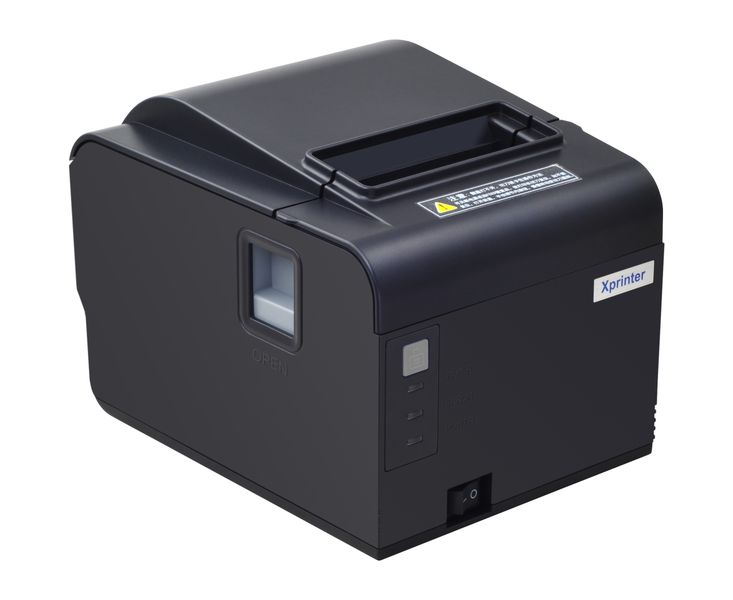
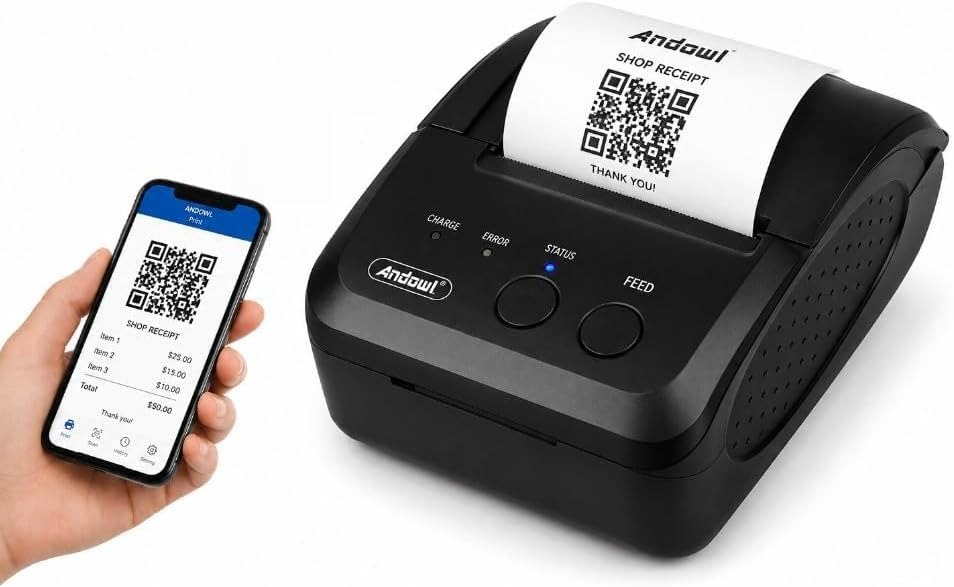
Installation is R2,500. Then pick a printer — we pitch the 80mm till first. If that is too much, the portable 58mm still pairs to Android and iPhone.

DW Thermal Receipt Printer 80mm XP-Q200H

Recommended

80mm paper

DW Thermal Receipt Printer 80mm

XP-Q200H

R 2 100

Printer only. Added to R 2 500 installation.

Bluetooth till printer. Auto-cuts 80mm slips. Pair to the cashier’s phone — no laptop.

  • Bluetooth to Android and iPhone
  • Auto-cut 80mm paper
  • Sits on the counter like a real till

Install + this printer

R 4 600

First invoice R 4 600, first month free

Wireless Bluetooth Thermal Receipt Printer Portable 58mm · iOS & Android

Budget

58mm paper

Wireless Bluetooth Thermal Receipt Printer

Portable 58mm · iOS & Android

R 1 000

Printer only. Added to R 2 500 installation.

Portable 58mm Bluetooth printer. Same phone connection, smaller slip, lower price.

  • Bluetooth to Android and iPhone
  • Battery / portable
  • 58mm paper — tear the slip

Install + this printer

R 3 500

First invoice R 3 500, first month free

Full price list →

Ready to put the till in your pocket?

Install is R2,500 plus a Bluetooth printer — R2,100 for the 80mm till, or R1,000 for the portable 58mm. Then R550 / month per store. WhatsApp 062 968 4481.